Automatic Verification (Recommended)
How to Verify Your Meta Mafioso NFT in the Meta Signals Discord (Automatic Verification Process)
Before you begin
Make sure that you are in the official Meta Signals Discord server, found at: http://discord.metasignals.io
Server ID: 688946417028431938
For the smoothest experience, it is recommended that you verify from a desktop computer.
Before you can successfully verify the NFT you must solve the captcha and agree to the T&C (Step 1 and 2)
Step-by-step instructions
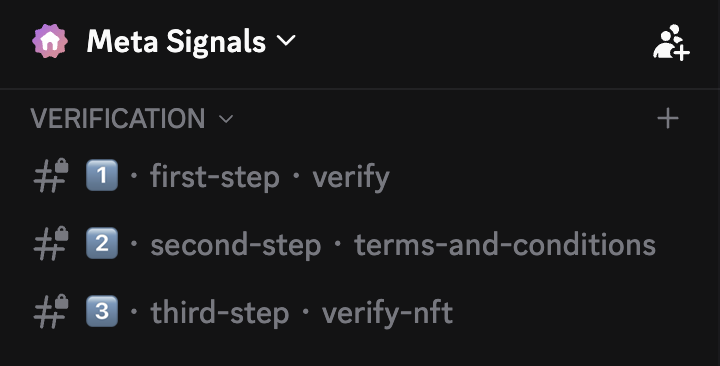
Go to the #verify-nft channel.
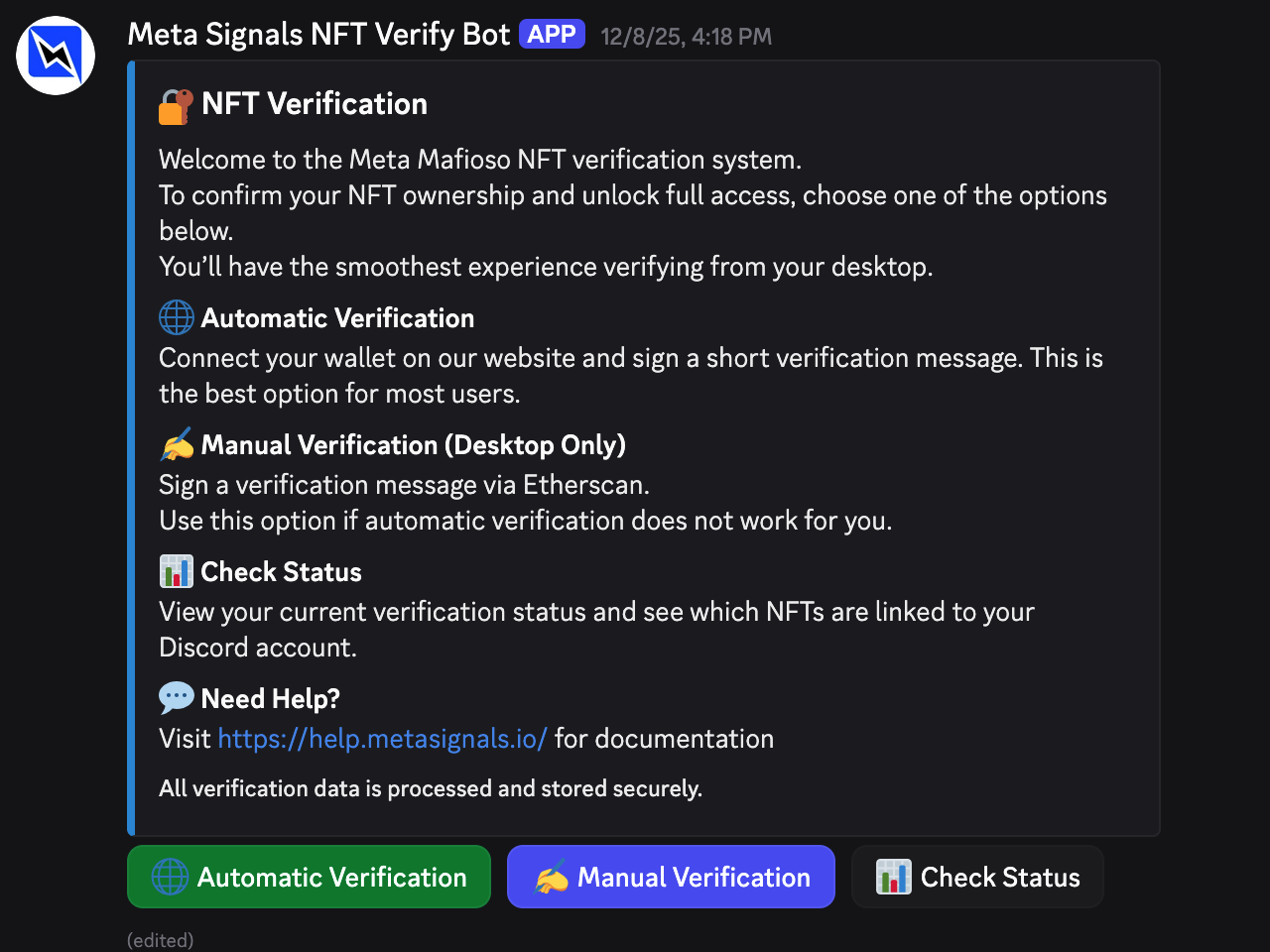
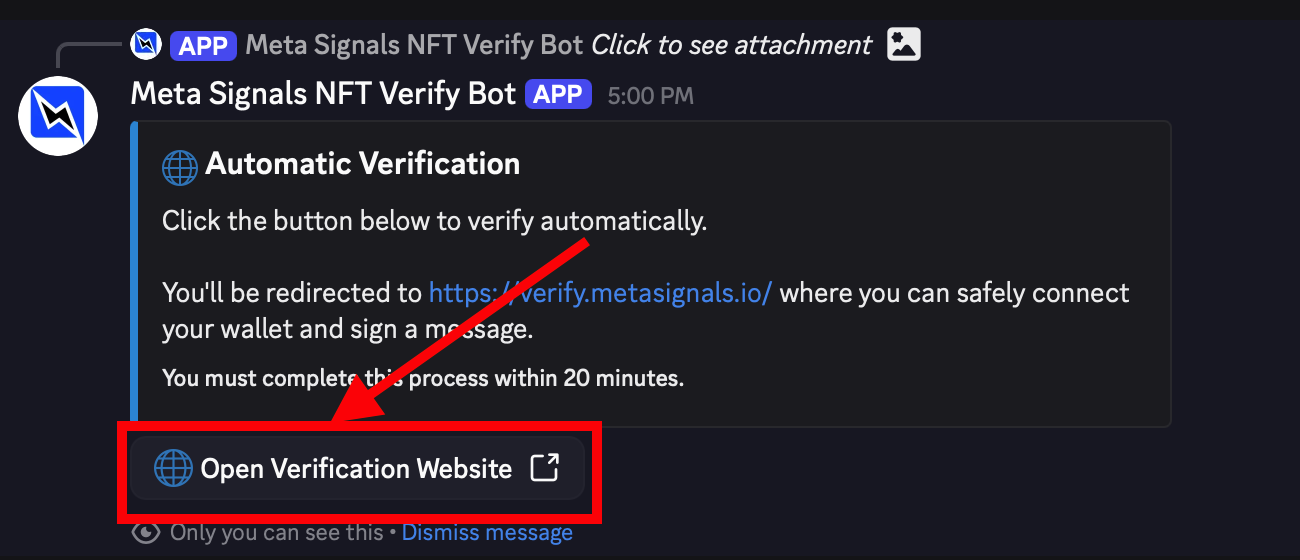
You will see the following message from the Meta Signals NFT Verify Bot:
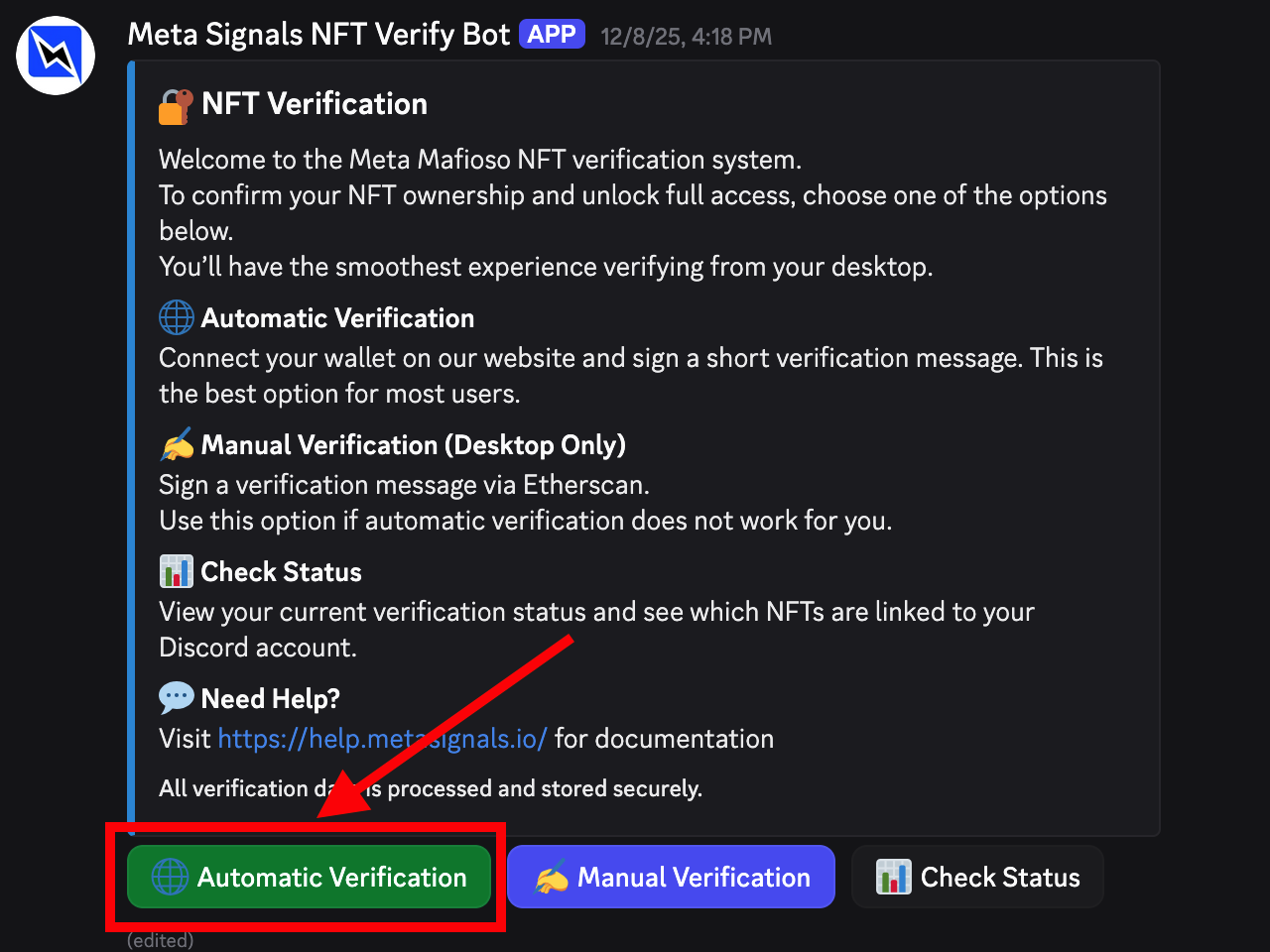
Click <<Automatic Verification>>
Click <<Open Verification Website>>
You may see a warning that you are about to visit an external website:
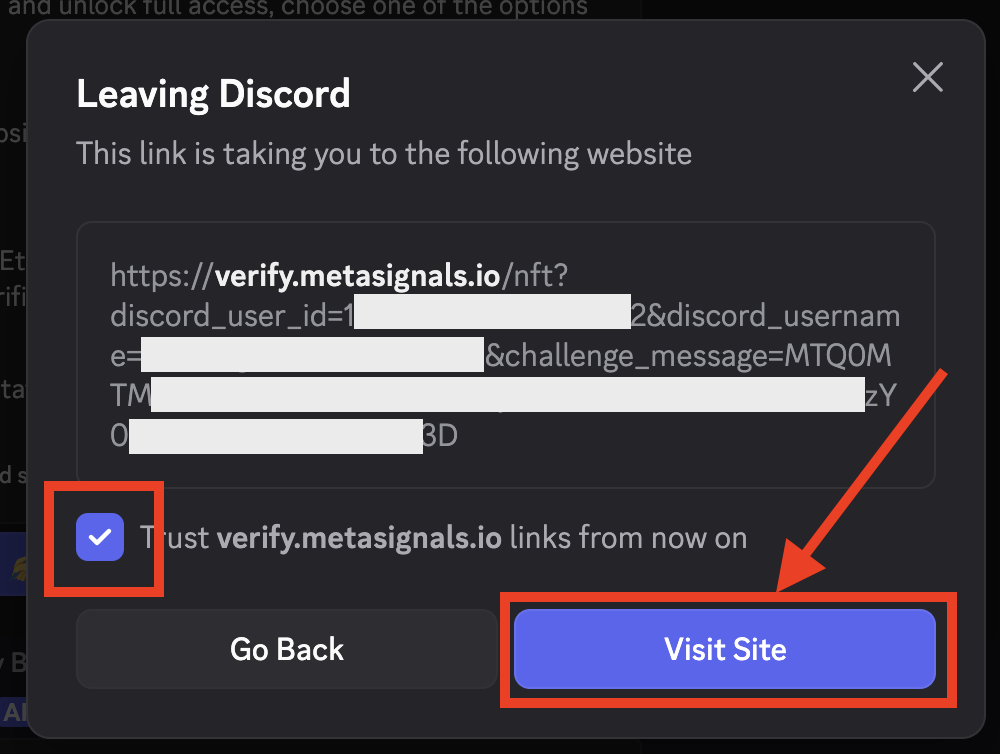
Check that the redirect URL starts with https://verify.metasignals.io/nft/
If you see a different URL,
If you see the correct URL, starting with https://verify.metasignals.io/nft/, click <<Visit Site>>
Click <<Connect Wallet>>
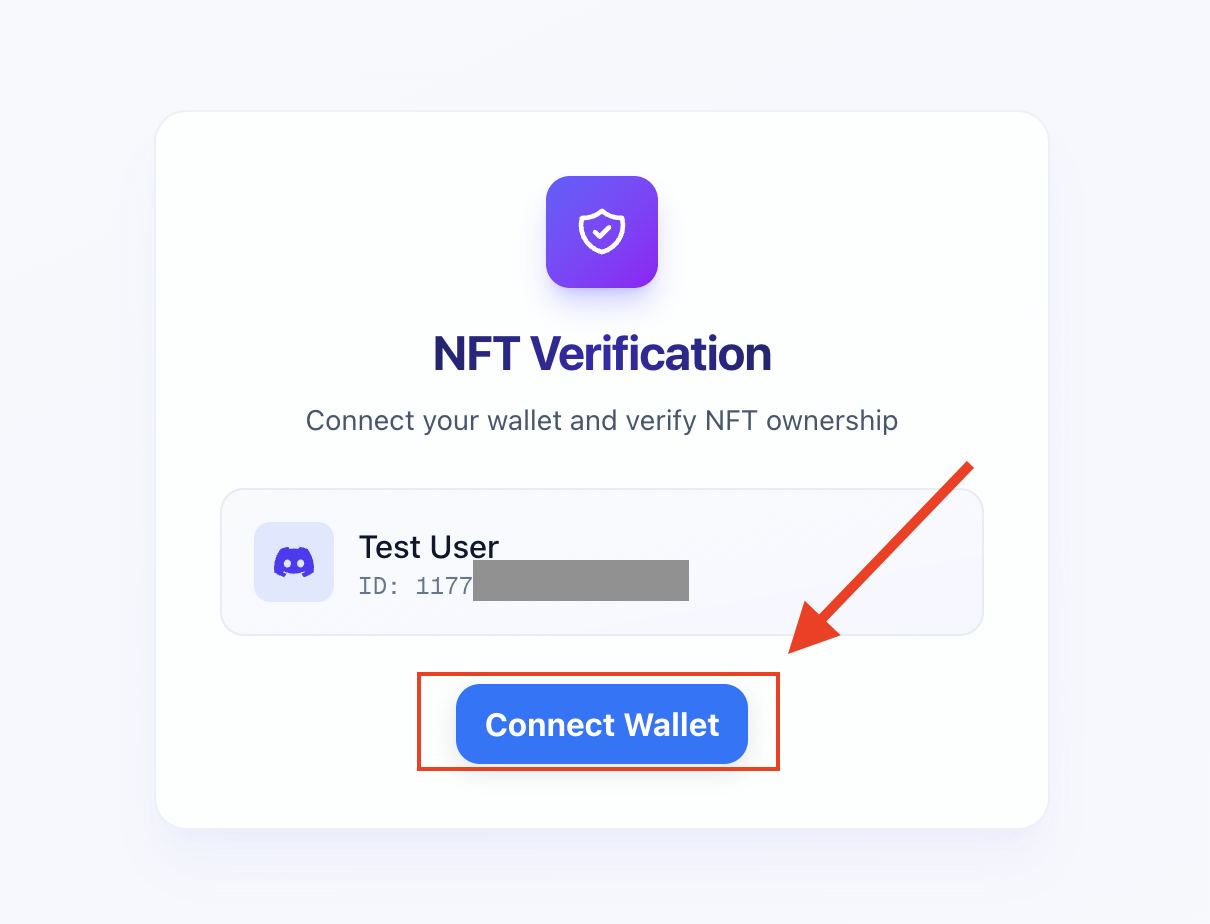
Choose a method to connect your wallet that holds the Meta Mafioso NFT(s).
Currently MetaMask and WalletConnect are supported. (WalletConnect is integrated with the majority of major Web3 wallets.)
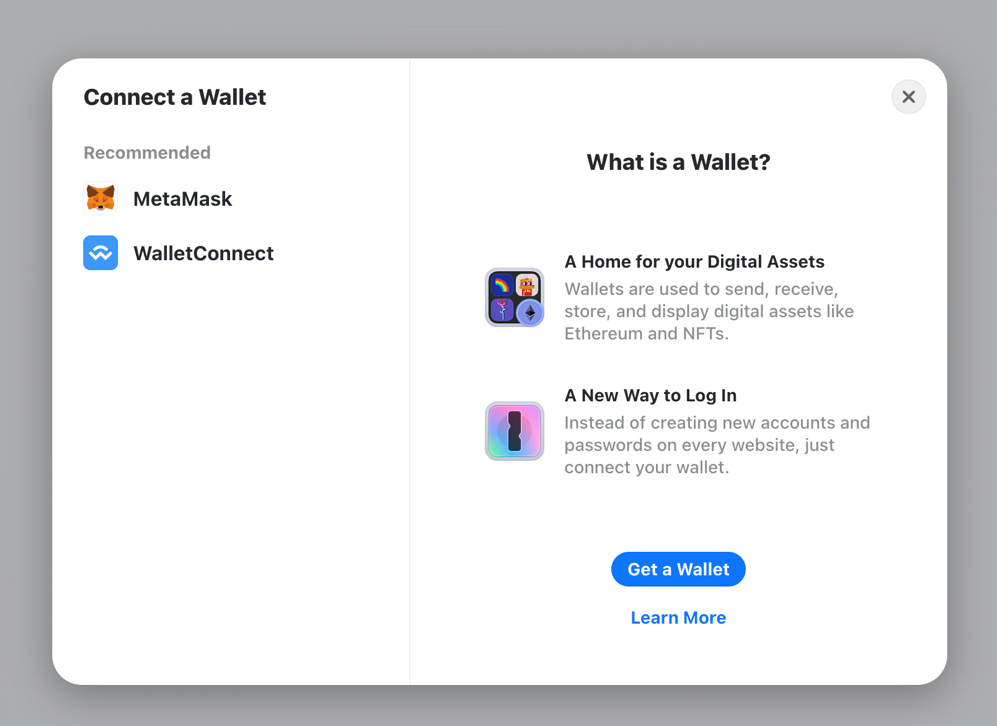
Follow the instructions appearing on the screen. You will be prompted to either scan a QR code on your mobile app or authenticate via the MetaMask extension in your browser.
Once the wallet is connected you will see this page:
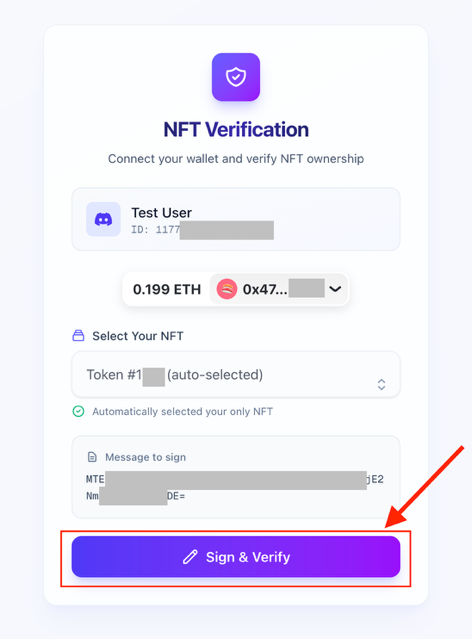 Select the Meta Mafioso NFT you would like to authenticate (if you have more than one).
If you have only one, it will be automatically selected.
Double check that all displayed information is correct. Click <<Sign & Verify>>
You will be required to confirm a prompt in your wallet, similar to this:
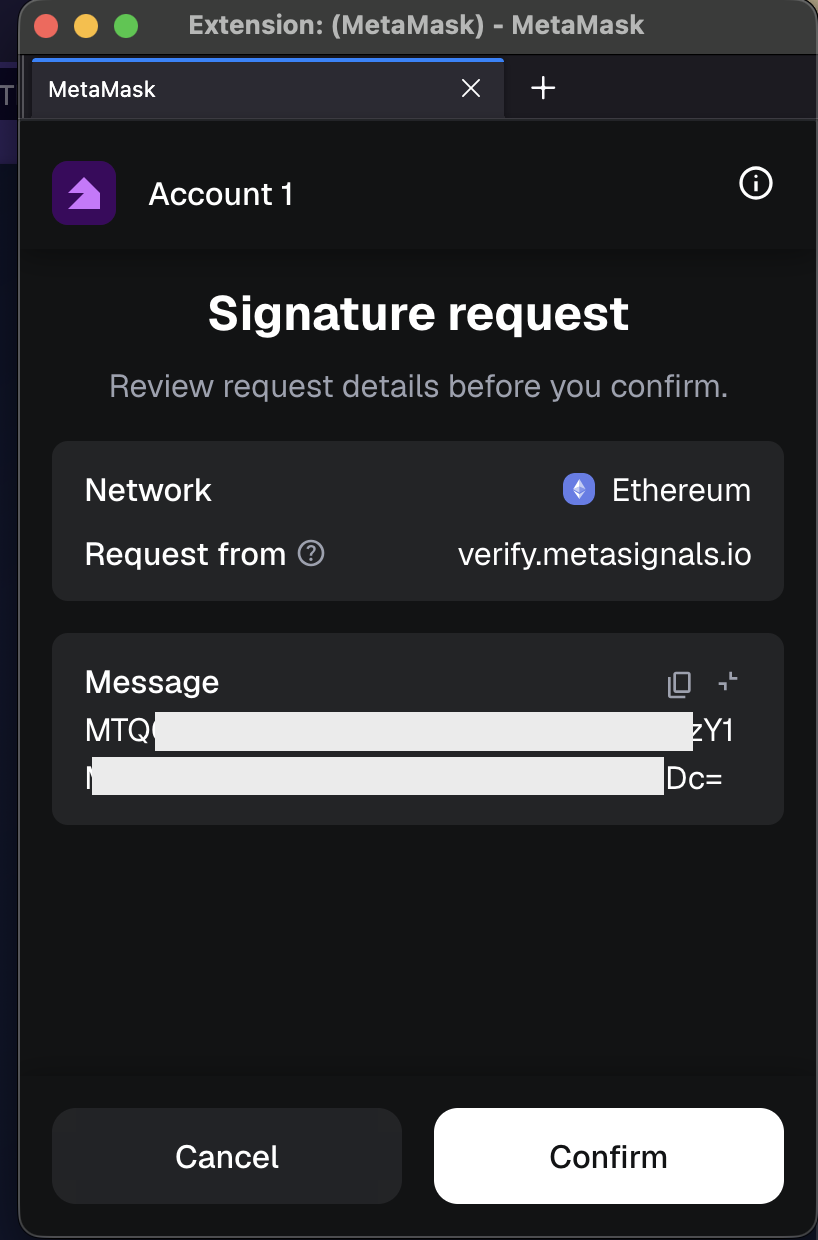 Click <<Confirm>>
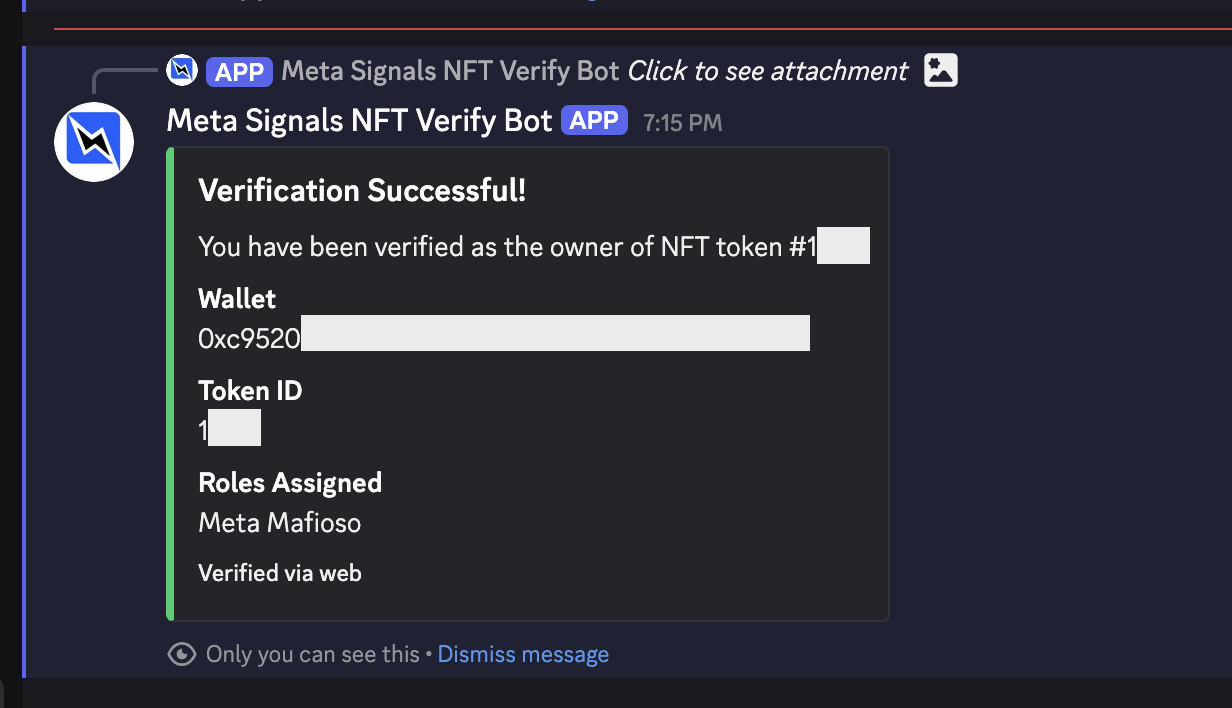
Upon successful verification, return to the Meta Signals Discord.
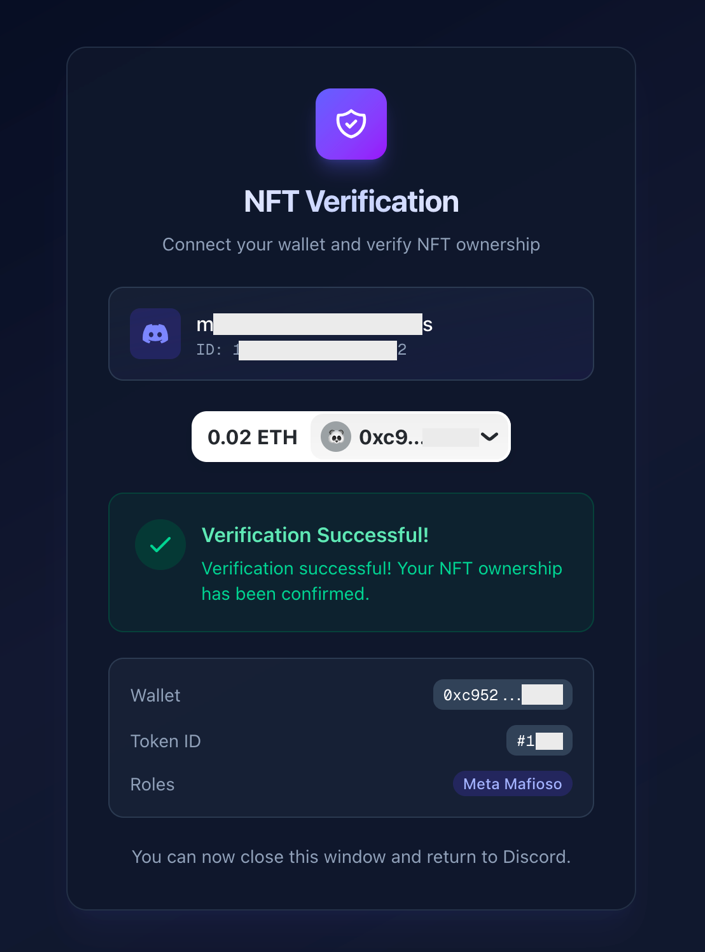
You will see the following confirmation message and a lightning bolt  will appear next to your Discord username, denoting your Mafioso status. All alert
and chat channels will be visible.
will appear next to your Discord username, denoting your Mafioso status. All alert
and chat channels will be visible.